
Workflow3 min read
How we built an interactive demo of AI4Kanban with AI4Kanban
We previewed and revised the UI in AI4Kanban, then built the demo with Claude Code and Opus 5.5—without dedicated demo-building tools.
Tao Wu · Founder of AI4KanbanOn this page
What did we need from an interactive demo?
First, we wanted potential users to see how AI4Kanban works.
Second, we needed a repeatable source for screenshots and recordings, without long waits, unrelated activity or unpredictable results.
For the demo, we used a fictional project with English tasks. It has the app's UI, but the agent results are fixed and the waits are short. Visitors follow eight steps, clicking the highlighted control on each screen.
For a recording, we can replay the same example. For a screenshot, we can go straight to the screen we want, such as /demo?step=4.
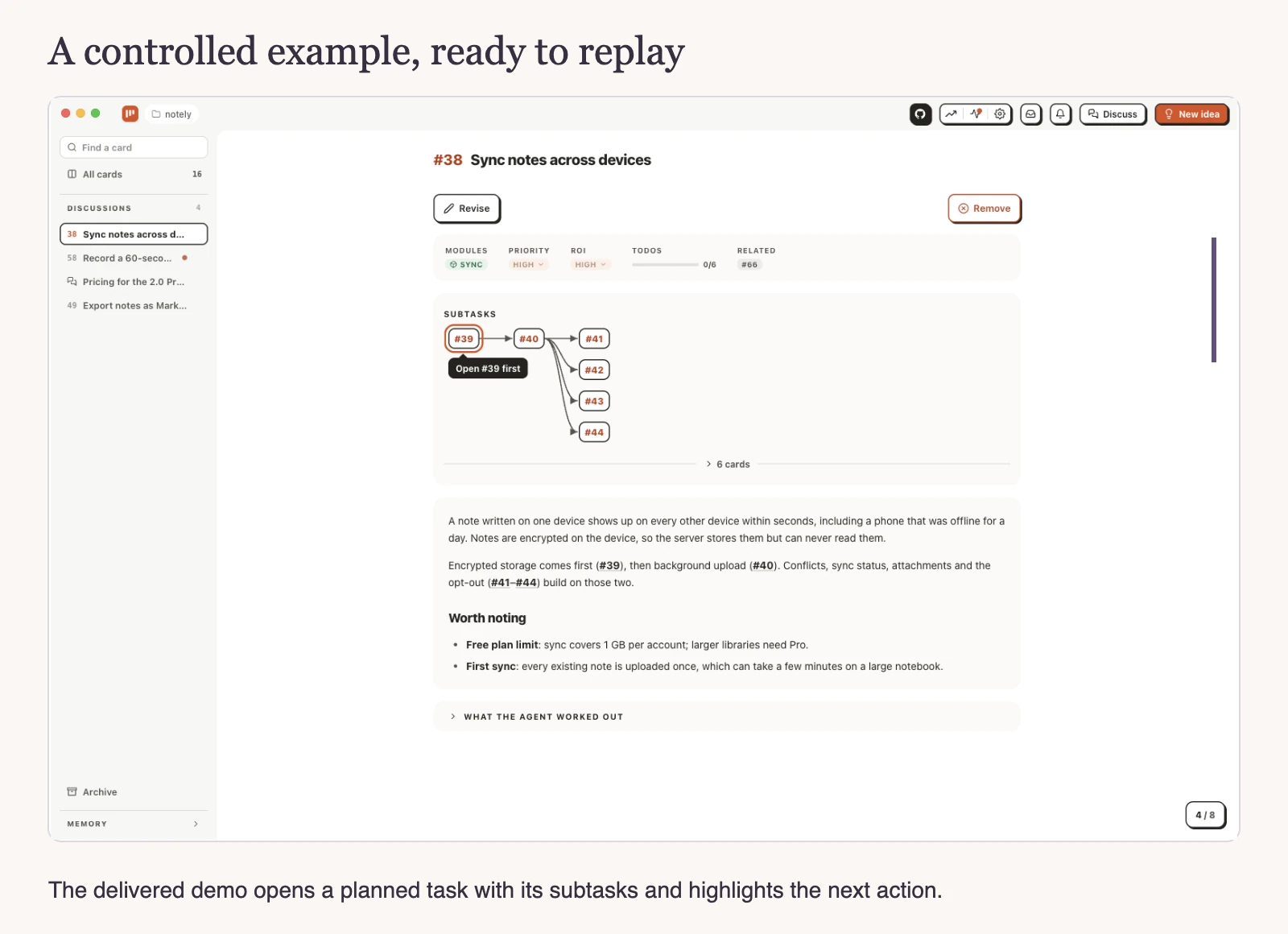
How did we build it with AI4Kanban and Claude Code?
We started by writing down the demo idea in AI4Kanban. I wasn't sure it was a good idea yet, so I wanted to see a prototype first. AI4Kanban planned the work automatically, and ui-designer put screen drafts right on the card.
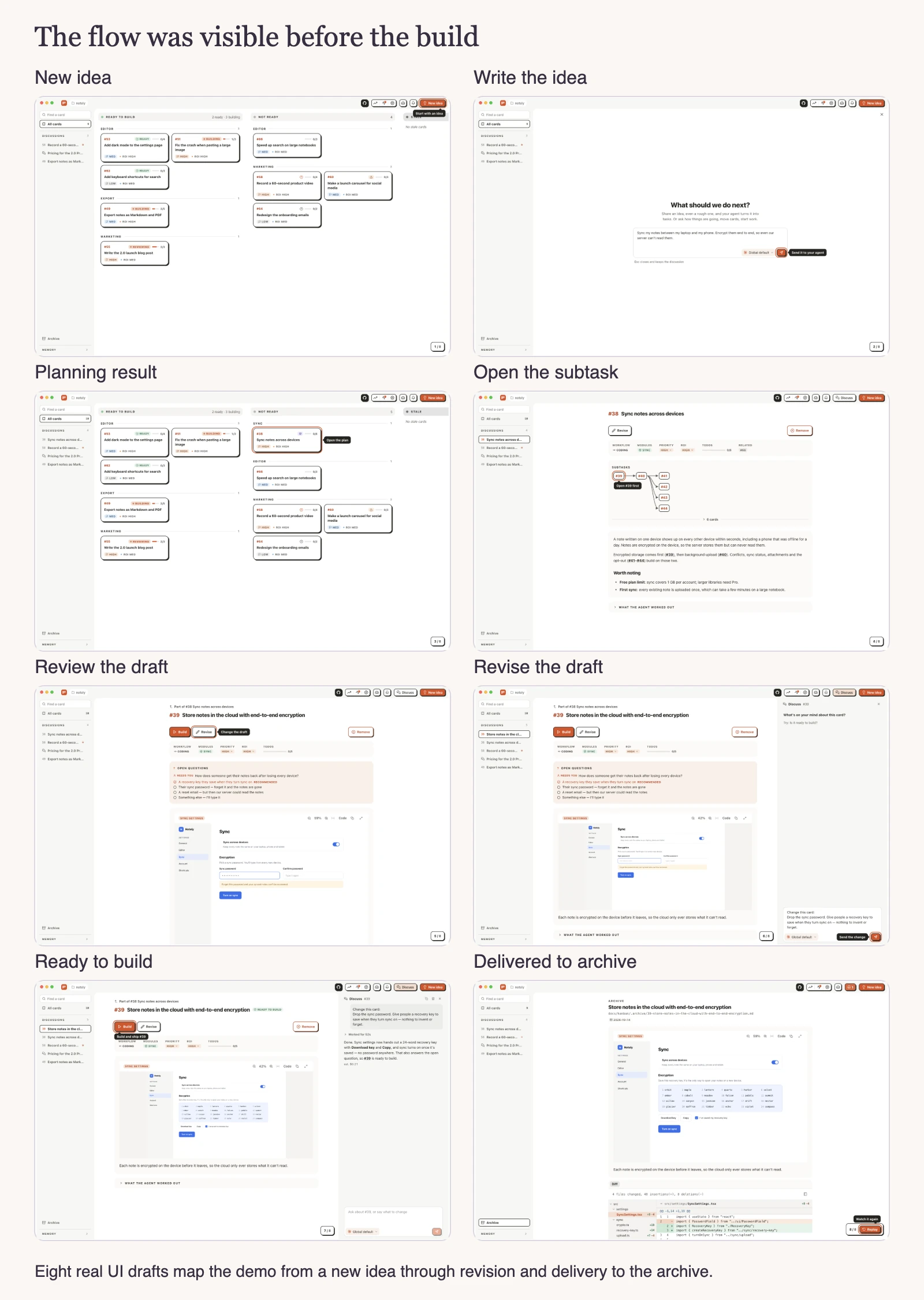
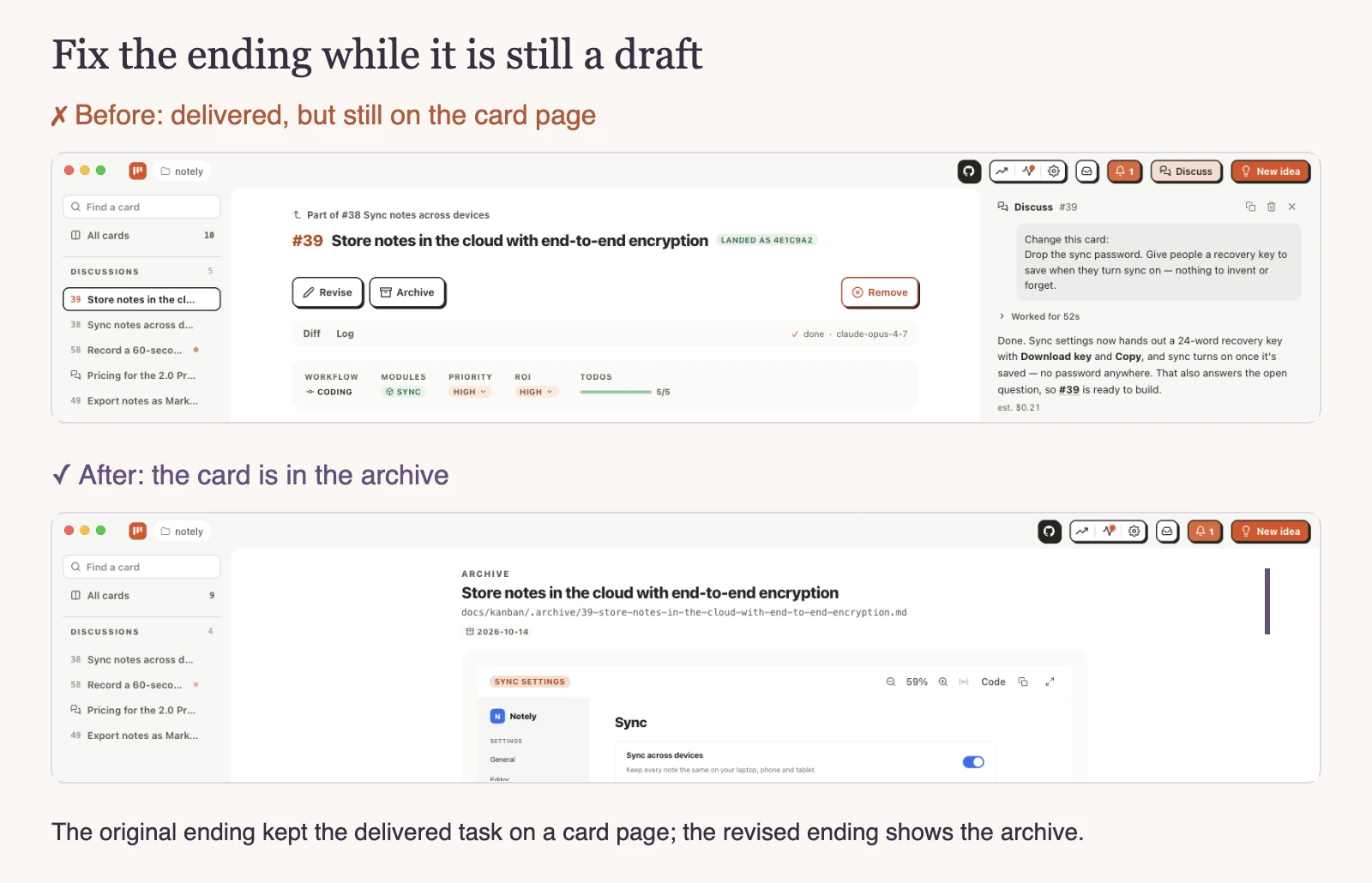
When I checked the prototype, I was surprised: this was exactly the demo I needed. The last screen was wrong—the finished card belonged in the archive—so we fixed that in the draft. Four follow-up messages got the drafts ready for delivery.
Then we handed it over to Claude Code, running Opus 5.5. It reused our app's UI components with demo data and checked the screens and interactions before delivering the page.
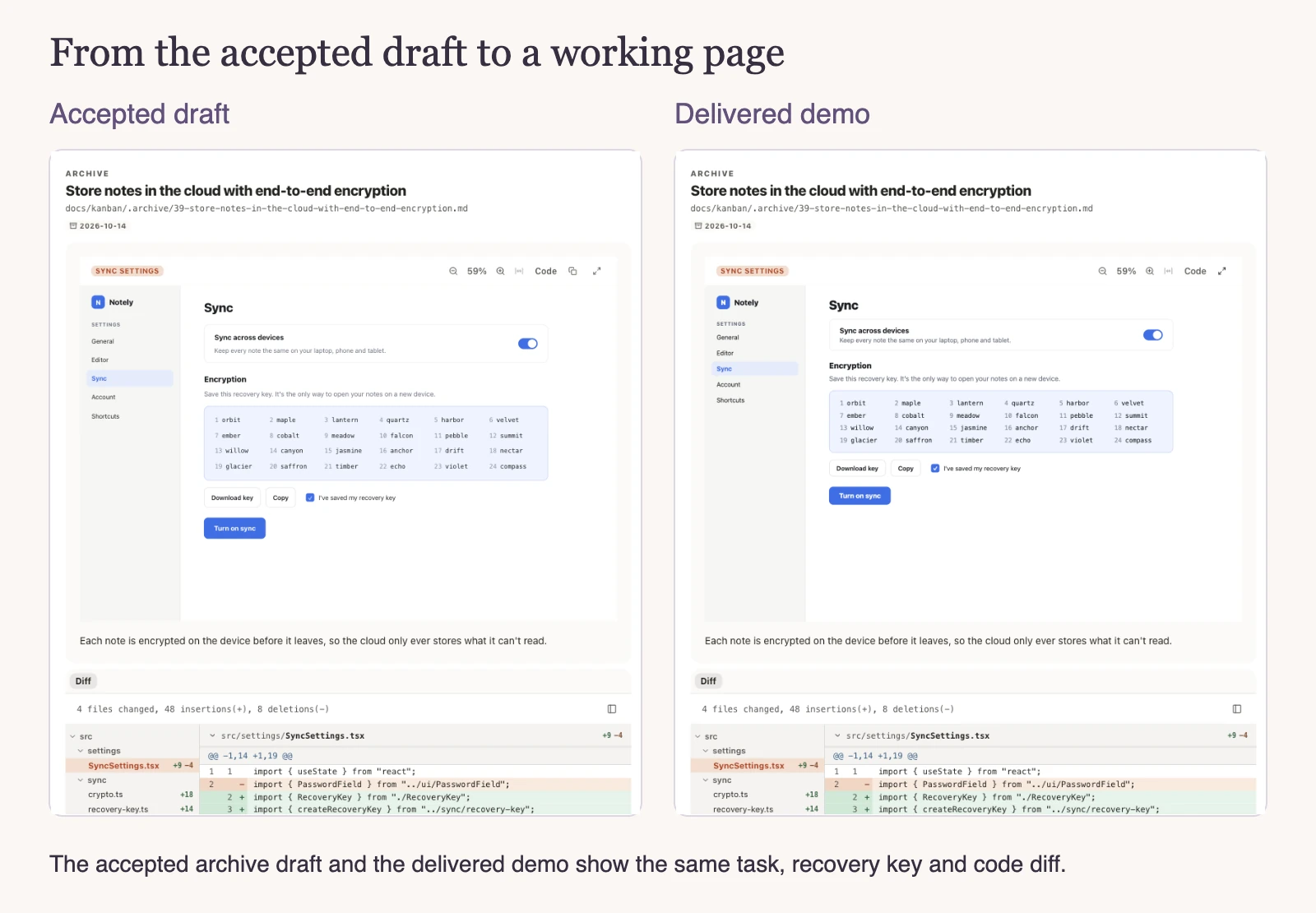
Why didn't we just use Claude Code?
I want less rework and a clear boundary between what needs my attention and what I can leave to agents.
In my Claude Code workflow, reviewing the demo would still mean starting a web server, reproducing each step and finding what was wrong. That's fine for one task. As an indie hacker, I have at least four tasks needing my review. I want each to take as little of my attention as possible.
I still need to review the UI. An agent can miss important context or simply get a screen wrong, and the UI is too important to leave that unchecked.
With AI4Kanban, the prototype is right inside the card. My part is to make sure the UI completely matches my expectations. Once it does, I hand the task over and leave the other details to agents. I enjoy being able to finish my part and move on. Fixing the UI in the draft means less rework after the build.
Why didn't we use Supademo or Navattic?
We already used AI4Kanban and had a Claude Max subscription. That setup had just given us the demo and recording page we wanted. We didn't need visitor analytics, personalization or sales integrations, so there was little reason to add a paid demo subscription.
We checked the Supademo and Navattic plans on October 14, 2026. Both have free plans; here's how they compare for our demo.
| Key point | AI4Kanban + coding agent | Supademo | Navattic |
|---|---|---|---|
| Interactive demo | Yes | Yes | Yes |
| Demo extras | Not needed here | Analytics & personalization | Analytics & sales integrations |
| Added subscription cost | $0 with existing Claude Max | Free; $50/creator/mo billed monthly | Free and paid plans |
Our tools estimated the recorded work at about $18: $5.71 for creation and initial planning, and $12.28 for coding delivery. Claude Max covered that usage, so we paid no extra model charge. It used some of our subscription capacity, and the estimate doesn't include card conversations without cost records.
The agents spent roughly 85 minutes on the work. We estimate our own involvement at about ten minutes; we didn't time it.
When the app changes, the reused components can change with it. We still have to update the static window shell and the demo script ourselves.