Ship without babysitting coding agents.
AI4Kanban turns rough ideas into build-ready work, runs it through your agents, and asks only for product decisions.
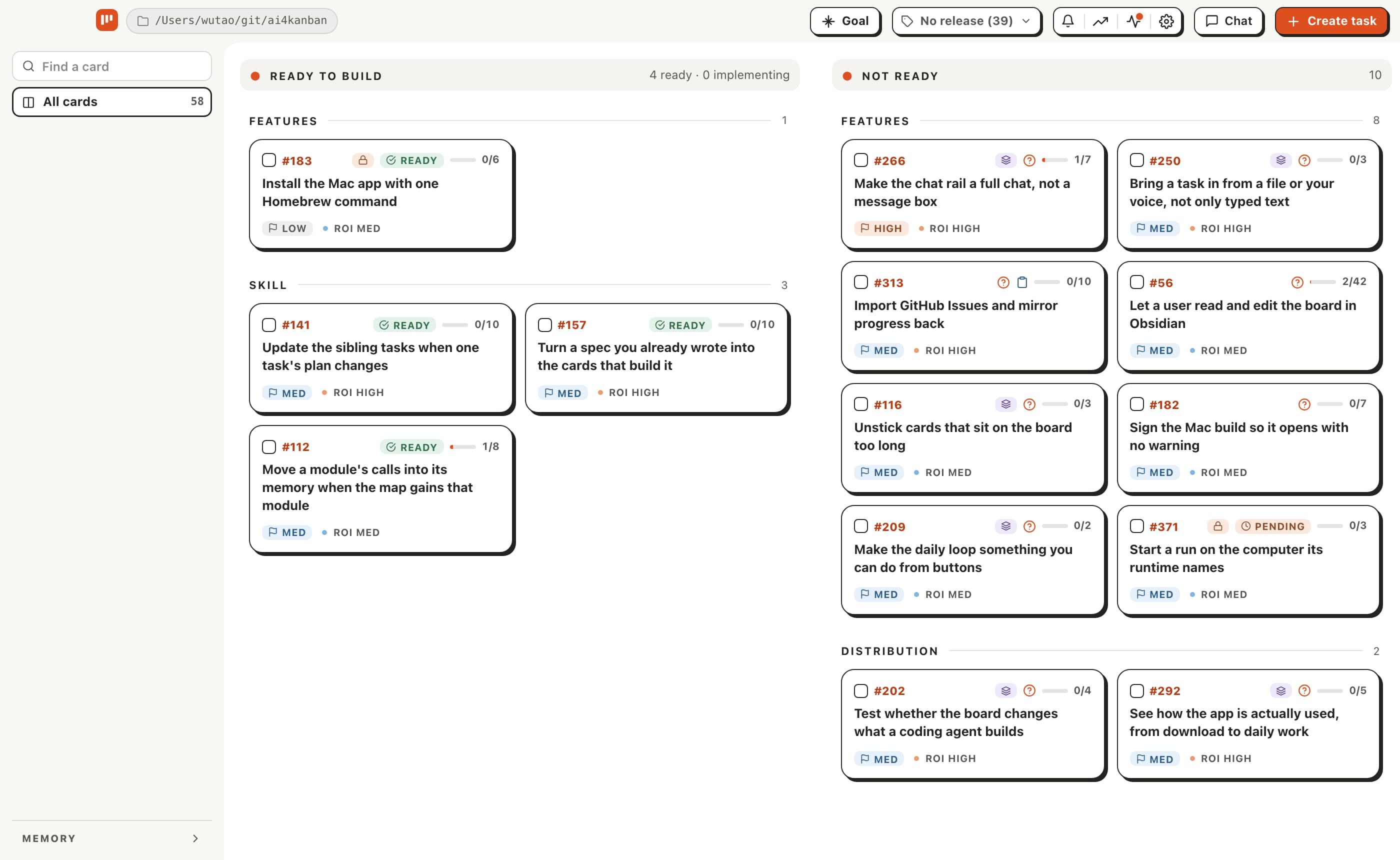
Less managing. More shipping.
Hand over the planning, follow-ups, and coordination. Keep your attention on what the product should become.
Rough idea in. Detailed plan out.
Describe what you want to build. AI4Kanban reads your code and project memory, fills in the requirements, and breaks the work into tasks with a clear order. You get a plan your agents can act on.
Make a few choices before the build.
The questions that need your judgment come with options and a recommendation. Choose the direction before coding starts, while changes are still cheap.
Move more work forward at once.
Independent tasks run in parallel across your agents, so one task finishing is no longer the cue to start the next. AI4Kanban handles dependencies and coordinates the work.
Plan the way you think.
Want a technical comparison or a working UI mockup before committing to a direction? Use the built-in spec agents or add your own, and let the board work through requirements using your approach.
Agents handle the details. You sign off.
Most details are settled from your code and past decisions. Work moves forward in the background, with product choices and delivery approvals brought back to you in the app or Slack.
An agent team, working together.
Bring discussion, planning, building, and review into one team. Enable the specialists you need, choose a runtime and model for each role, and add your own instructions.
 AI4Kanban


Understands you better as you build
Your preferences, decisions, and rejected ideas carry into the next plan. As project memory grows, your agents have more context to work from, and you have less to explain.
No need to repeat yourself
Established preferences and constraints carry straight into planning the next task.
Avoid the same dead ends
Rejected directions and known design problems are not proposed again.
Pick up where you left off
Before planning new work, it reads what has already shipped and checks the current code.
docs/kanban/memory/├─ goal.mdProject goal├─ local-ui/One per module│ ├─ readme.mdShipped features│ ├─ decisions.mdProduct decisions│ ├─ rejected.mdReasons for rejection│ └─ redesign.mdDesign lessons└─ site/Turn feedback into product improvements
User feedback, competitor research, and industry discussions can all inform what to build next. AI4Kanban turns those insights into tasks aligned with your product goals, ready for your agents to work on.
Start with the desktop app
Download the app, open a project, and answer three questions. It reads the codebase, writes the project goal and module memory, and proposes the first tasks.
Builds are unsigned, so macOS blocks the first open: drag the app in from the .dmg, then click through the warning. The download page has the full steps for macOS, Windows, and Linux.
The app includes the akb CLI and adds the coding-agent skills when you open a project. Neither is meant to be installed on its own.