
Codex workflow guide · 5 min read
Kanban for Codex: planning before parallel execution
A planning layer for Codex that clarifies requirements, shares decisions, and coordinates delivery.
Tao Wu · Builder of AI4KanbanOn this page
- Codex runs tasks in parallel. AI4Kanban plans the work.
- Can Codex clarify requirements before coding?
- Why not rely on Codex memory or Mem0?
- Will project memory become one giant context file?
- Which questions does AI4Kanban send to me?
- How am I notified when Codex needs me?
- Can I keep my existing Codex setup?
- How does AI4Kanban keep parallel Codex changes from colliding?
Codex can already run independent coding tasks in parallel, including in separate Git worktrees. That lets you run more work at once, but it does not decide which ideas are ready, which tasks depend on others, which product decisions every task must share, or which finished change should land first.
AI4Kanban manages those project-level questions, then gives the implementation work to your existing Codex CLI.
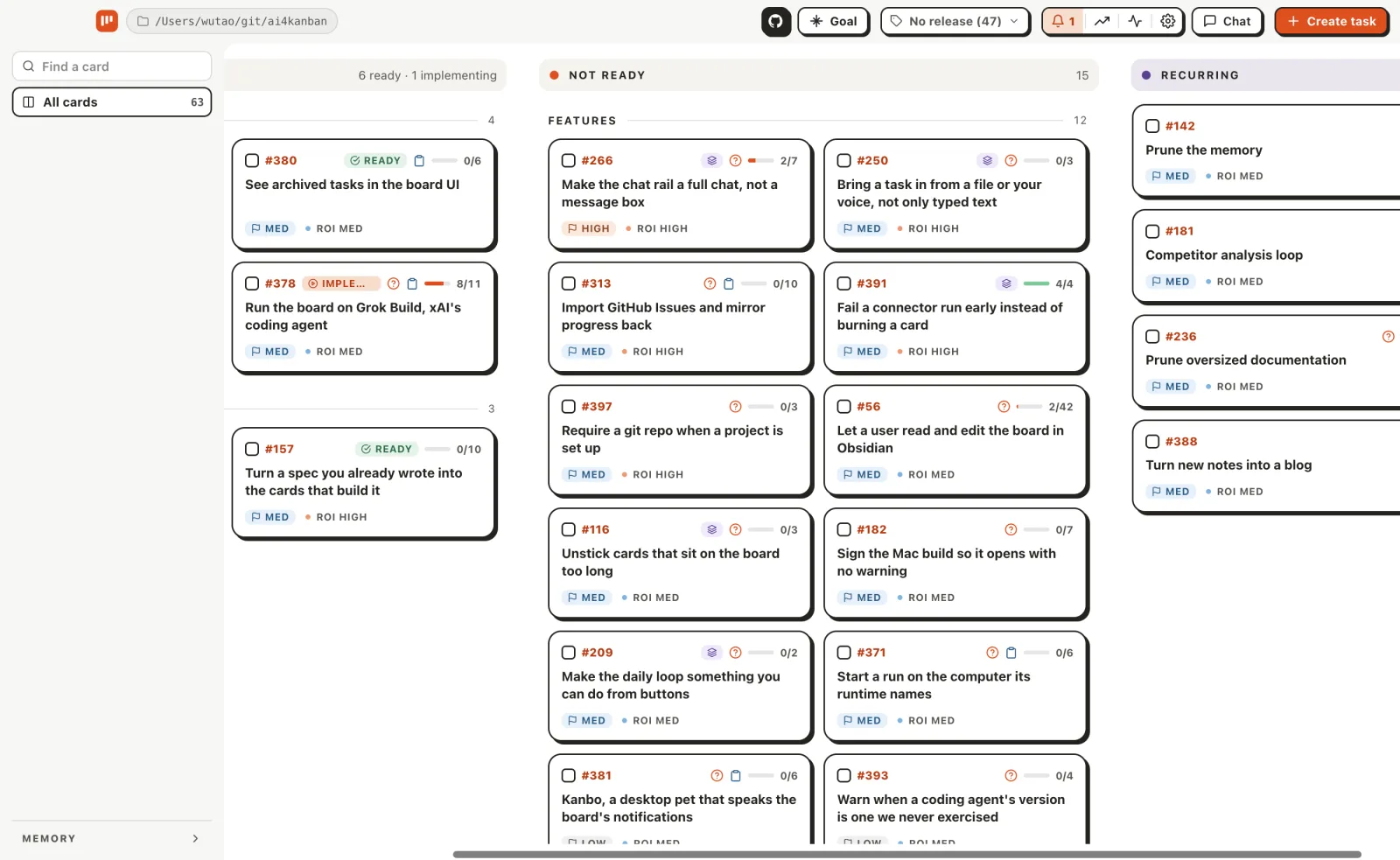
Codex runs tasks in parallel. AI4Kanban plans the work.
Codex supports parallel chats in isolated worktrees. Each chat can work without disturbing another checkout. Isolation does not make the tasks share a plan.
| Parallel Codex gives you | The management problem it leaves |
|---|---|
| Several independent chats | Which ideas are ready enough to start? |
| Separate worktrees | Which tasks overlap or depend on one another? |
| Context inside each task | Which product decisions must stay consistent across every task? |
| Several finished diffs | What should be reviewed and landed first? |
| Questions from each chat | Which decisions genuinely require human attention? |
AI4Kanban puts readiness, dependencies, shared decisions, and release order on cards. Independent cards can build together; blocked cards wait; finished deliveries land one at a time. Codex still does the coding, but you no longer have to act as its scheduler and shared memory.
One specification
A coordinated task graph
Can Codex clarify requirements before coding?
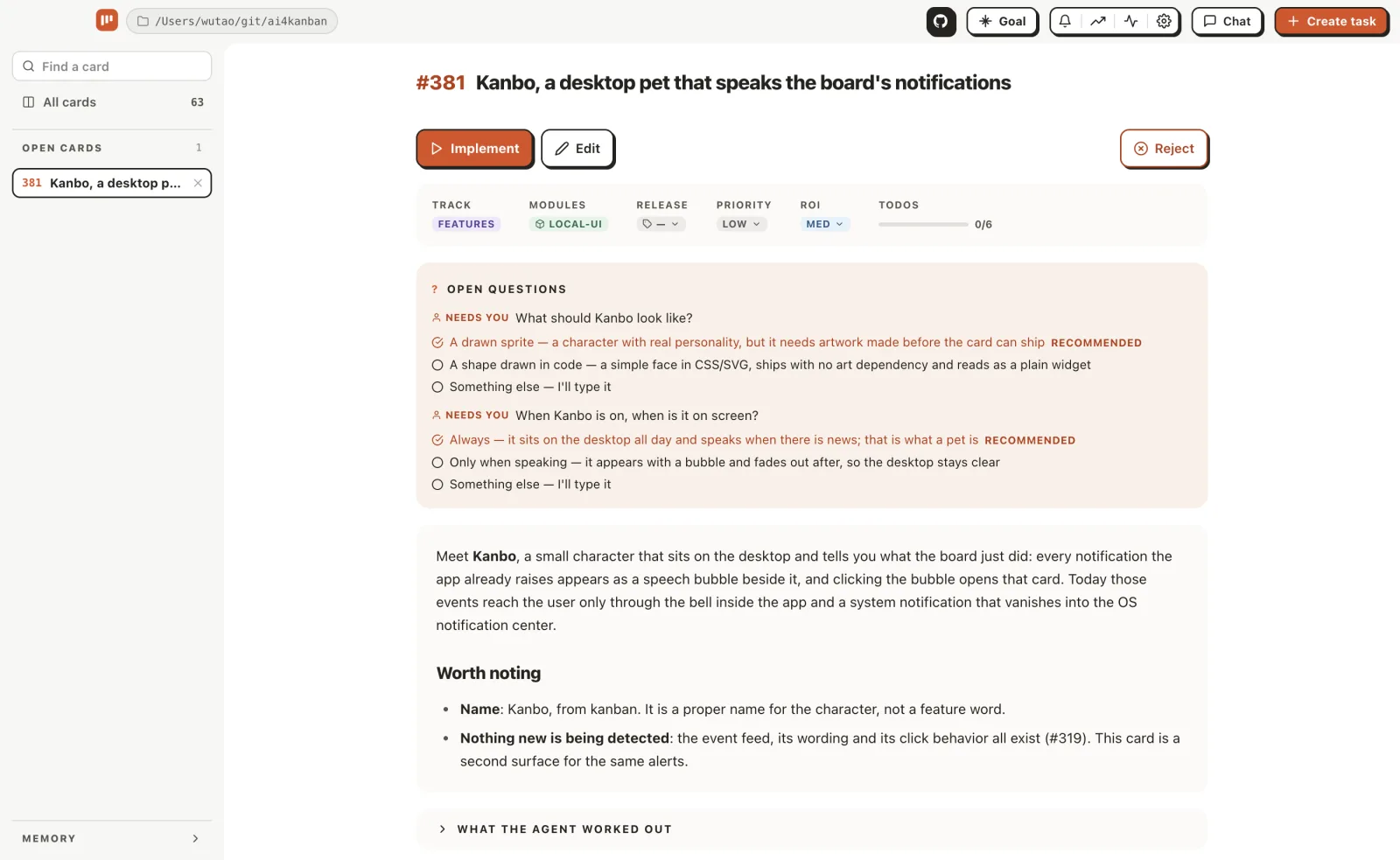
Yes. Codex can inspect a repository, propose a plan, and ask questions before editing. But a typical Codex session does not consistently check whether the requirement has a clear outcome, scope, defaults, and edge cases.
| Before Codex starts coding | What AI4Kanban does |
|---|---|
| Checks the requirement | Tests outcome, scope, defaults, acceptance criteria, dependencies, and edge cases |
| Finds a routine uncertainty | Researches it and chooses a safe answer from project evidence |
| Finds a consequential product choice | Leaves concrete options and a recommendation for you |
Your answer updates the requirement and durable project memory instead of remaining in one conversation.
Why not rely on Codex memory or Mem0?
They help Codex recall more information. AI4Kanban keeps only the product context that should change future planning.
| Context source | What it carries forward | Limit for project planning |
|---|---|---|
| Codex local memory | Generated context from prior chats | Helpful recall, not guaranteed project guidance |
AGENTS.md and repository files | Working rules and current implementation | Often omit why a product decision was made |
| Mem0 for Codex | Memories found through semantic search (search that matches meaning, not just keywords) | Retrieval relevance is not the same as product importance |
| AI4Kanban memory | Curated, checked-in product decisions | Excludes chat history and code detail on purpose |
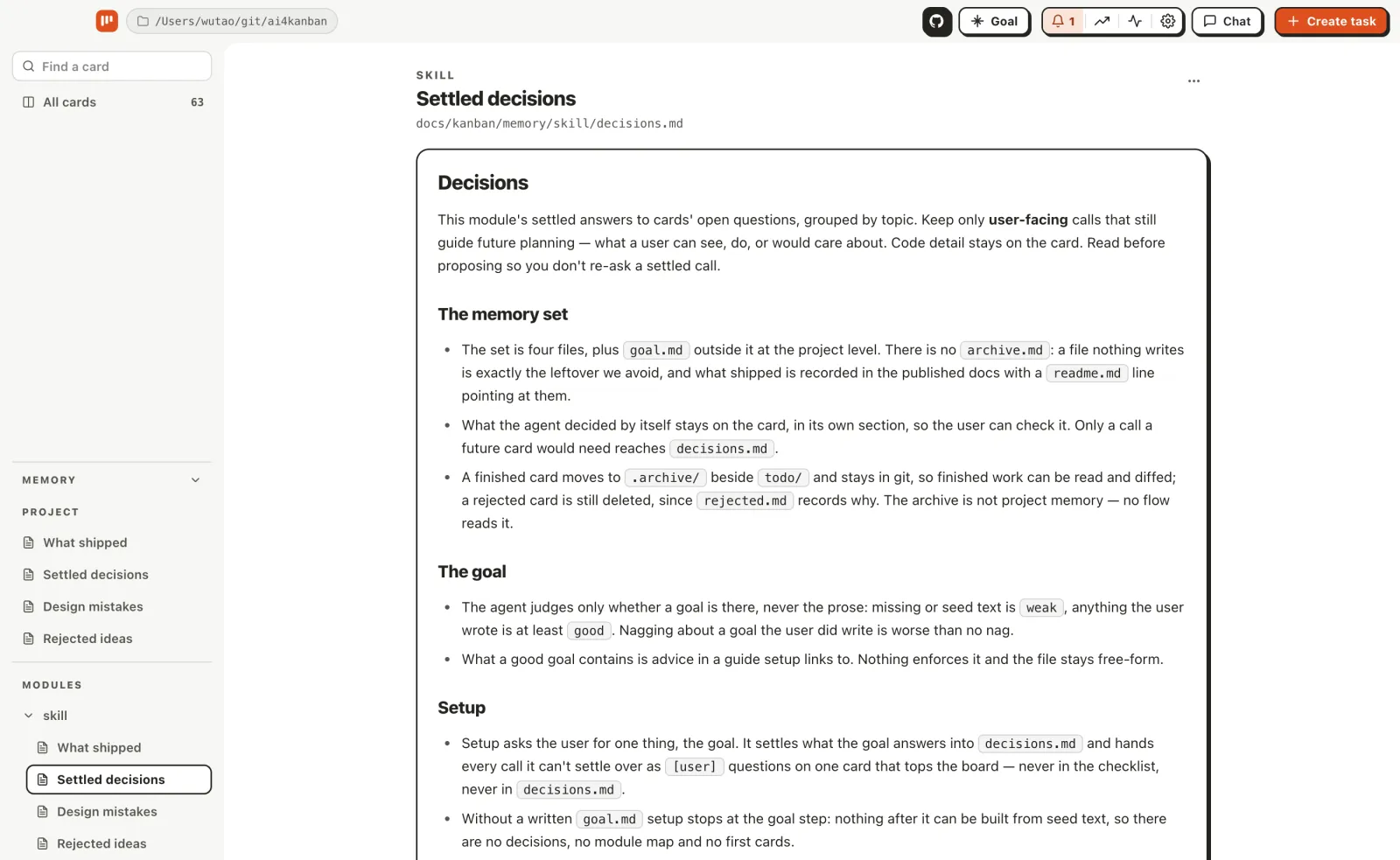
AI4Kanban memory is ordinary Markdown: compact, versioned, reviewable, and usable without a vector database.
Will project memory become one giant context file?
No. AI4Kanban keeps the same 4 small documents for the whole project and for each module.
| File | Keeps |
|---|---|
readme.md | Shipped user-facing behavior |
decisions.md | Current product decisions |
rejected.md | Ideas that should not return |
redesign.md | Design corrections to apply next time |
A card loads the project memory plus the memory for its named modules. Regular pruning merges duplicates and removes stale detail, so the agent reads a planning brief rather than the project's entire history.
Read why project decisions become the bottleneck.
Which questions does AI4Kanban send to me?
Only consequential product decisions that the agent cannot safely settle from evidence. Agents are expected to answer questions, not merely raise them.
Routine questions: the agent researches them, decides, and updates the requirement.
Product decisions: you get the question only when it affects behavior, scope, risk, privacy, compatibility, or ongoing cost. Each question includes options, costs, and a recommendation.
If more than 3 questions remain, the QA loop reviews them again instead of sending you a questionnaire.
How am I notified when Codex needs me?
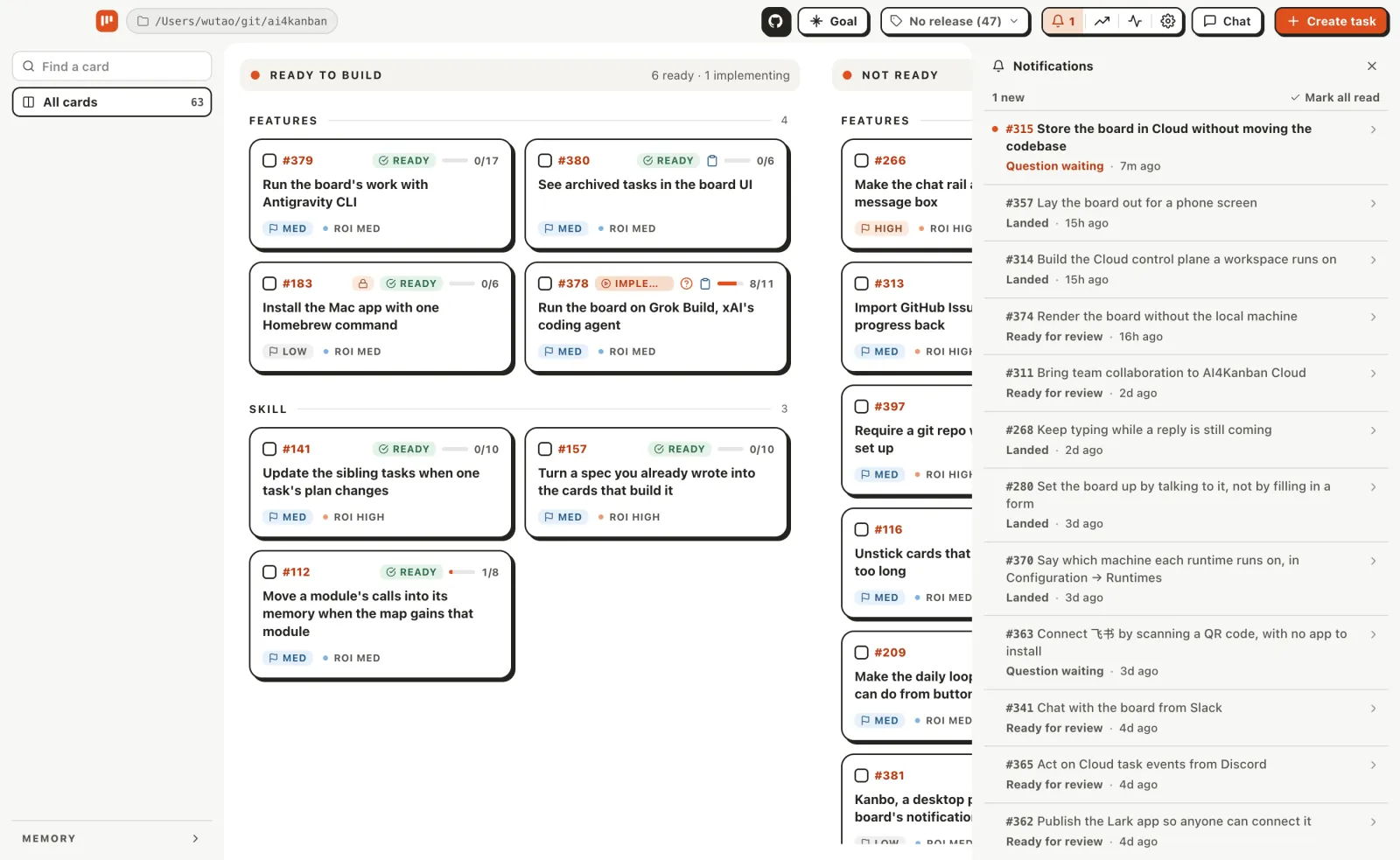
Questions and review requests appear in the app and can be sent to Slack. Running and landed cards are status only. Other deliveries keep moving while one waits for you.
Can I keep my existing Codex setup?
Yes. AI4Kanban launches your installed Codex CLI and keeps its login, AGENTS.md, skills, MCP servers, and resumable threads.
Reach Codex once — its provider, endpoint and key — and then each agent on the board picks the model and reasoning effort it runs, so refinement, implementation and review need not share one. Leave those fields empty to keep Codex's defaults.

See What each coding agent can do for the current connector support.
How does AI4Kanban keep parallel Codex changes from colliding?
Each automatic delivery gets its own branch and Git worktree. Dependencies stop blocked cards from starting too early.
After implementation, a fresh session reviews the card and diff. Approved deliveries enter a queue and land on the target branch one at a time as squash commits. Enable diff approval so each reviewed worktree waits for your approval.
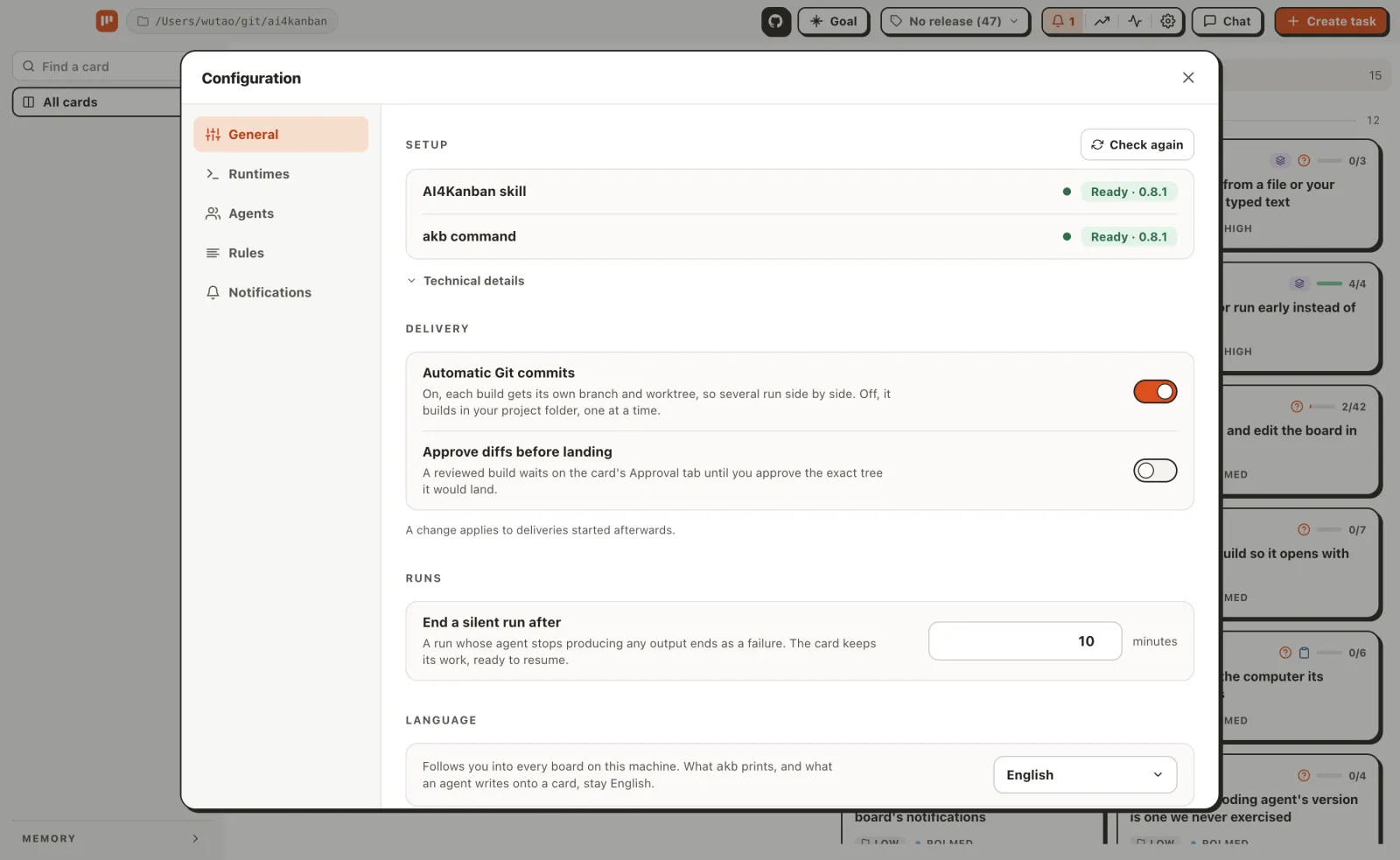
You can inspect logs, stop without discarding the worktree, and resume the same Codex thread. Disable automatic Git commits to work in your current checkout and commit manually. AI4Kanban never pushes.
Frequently asked questions
Does it work with a ChatGPT subscription, or do I need an API key?
Both work. Use Codex's ChatGPT login, an OpenAI API key, or a Responses-API gateway. The chosen provider is always explicit.
Can I choose the Codex model and reasoning effort for each kind of work?
Yes. Give the planner, the builder, the reviewer, and each specialist their own Codex model and reasoning effort on the Agents pane. Empty fields keep Codex's defaults.
Can I set a token or cost limit before starting a Codex run?
Not as a hard cap. AI4Kanban reports available token and cost data; provider, model, and reasoning effort remain your spending controls.
Can AI4Kanban run several Codex tasks at once?
Yes. Independent cards build in separate worktrees, dependent cards wait for blockers, and completed deliveries land one at a time.
Can Codex work in my main checkout instead of a new worktree?
Yes. Disable automatic Git commits globally or for 1 delivery. Codex then works in your current checkout and you commit after review.
How are .env files and dependencies handled inside worktrees?
A worktree starts with tracked files only. Add an implementation rule for dependencies and local configuration; agent keys stay in the ignored docs/kanban/.env file.
Will Codex ever commit, merge, or push without my approval?
Card approval authorizes automatic commits and 1 reviewed squash landing. Enable diff approval for a 2nd checkpoint, or use manual commit mode. AI4Kanban never pushes.
What happens when Codex fails or reaches its usage limit?
Your work stays available: the card keeps its delivery, worktree, and Codex thread. Stop it manually or let the silence timeout end it, then resume later.
Can I resume the same Codex session after restarting a task?
Yes. Resume uses the saved thread ID and keeps the existing delivery and context.