
Coding agents3 min read
AI4Kanban now supports DeepSeek Harness
Use DeepSeek Harness as the coding agent behind your AI4Kanban board—with live logs, connection testing, stopping, and session-aware resume built in.
Tao Wu · Builder of AI4KanbanOn this page
AI4Kanban now supports DeepSeek Harness as a coding agent behind the board. If dsh is already part of your development workflow—or you want to try it without changing how your project is planned—you can connect it from the same place you configure Claude Code, Codex, Cursor, or OpenCode.
Once selected, DeepSeek Harness can run the ordinary work on your board: implementing a card, refining its requirements, resolving questions, planning a release, or completing project setup. Your cards, dependencies, releases, and project memory remain in AI4Kanban. DeepSeek Harness becomes the agent that carries out the work.
A native board experience, not a detached terminal
The integration is designed to feel like any other AI4Kanban run. When you press a board action, AI4Kanban starts dsh through dsh-acp, an Agent Client Protocol bridge. That bridge lets the board and the harness maintain a live conversation behind the scenes.
As the agent works, its text, thinking, and tool calls stream into the run log. You can see that the job is progressing instead of waiting for a final response from a silent process. The same integration also powers Test, Stop, and Resume.
Resume is especially important for longer tasks. If a run stops before it finishes, AI4Kanban reconnects to the same dsh session, including its conversation history. The agent can continue from the context it already built instead of starting the task again from a fresh prompt.
AI4Kanban starts the bridge with workspace-write permissions. The harness can work inside the project folder without pausing for approval. If it tries to reach beyond that boundary, the board refuses the request and records the refusal in the log.
Connect DeepSeek Harness to AI4Kanban
Install the harness and its ACP bridge globally, using two separate commands:
npm install -g @deepseek-ai/dsh
npm install -g @openma/deepseek-harness-acp
Run these one at a time. Installing both packages in a single npm command can leave the bridge unable to find the dsh installation it needs.
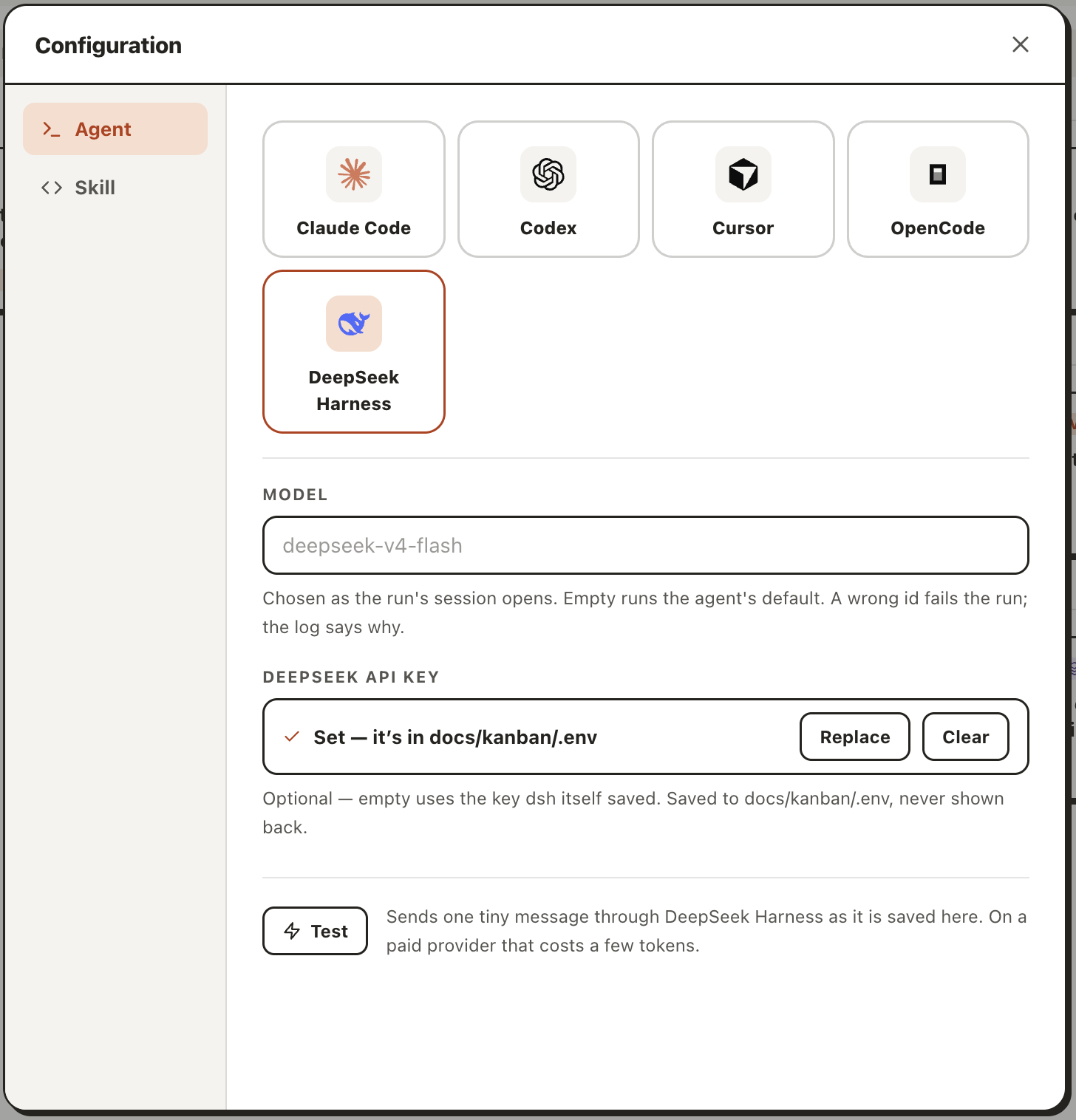
Next, open Configuration → Agent in AI4Kanban and choose DeepSeek Harness. The app checks whether the required CLI is available and marks it as not installed when it cannot be found. This check runs again whenever you reopen the agent picker, so a newly installed CLI will appear without changing your project.
You can optionally enter a model ID and a DEEPSEEK_API_KEY. Leave the model empty to use the harness default. Leave the key empty to use the credentials dsh already saved in its own configuration. AI4Kanban stores a key entered through the board in the project's ignored docs/kanban/.env file rather than adding it to Git.
Finally, press Test. AI4Kanban sends a small request through the saved configuration and shows the agent's reason if the connection fails. When the test passes, every board action can run through DeepSeek Harness.
Keep the board, choose the harness
AI4Kanban's role does not change when you switch agents. It keeps the durable planning layer: goals, requirements, dependencies, release intent, and the decisions future work needs. DeepSeek Harness supplies the execution layer behind it.
That separation means teams can choose the coding harness that fits their workflow without moving the plan or rebuilding project context. Pick DeepSeek Harness once, test the connection, and continue working from the same board.